Tracking user progress and performance
The learning management system (LMS) in Guardey provides a clear overview of all statistics. Follow the steps below to view your employees progress and performance.
Open the admin portal
Step 1: Log in to your Guardey account
Step 2: Go to the admin section
Step 3: Click on users in the menu
View the statistics
Step 1: Click on the user whose performance you want to check
Step 2: Click on game in the top menu
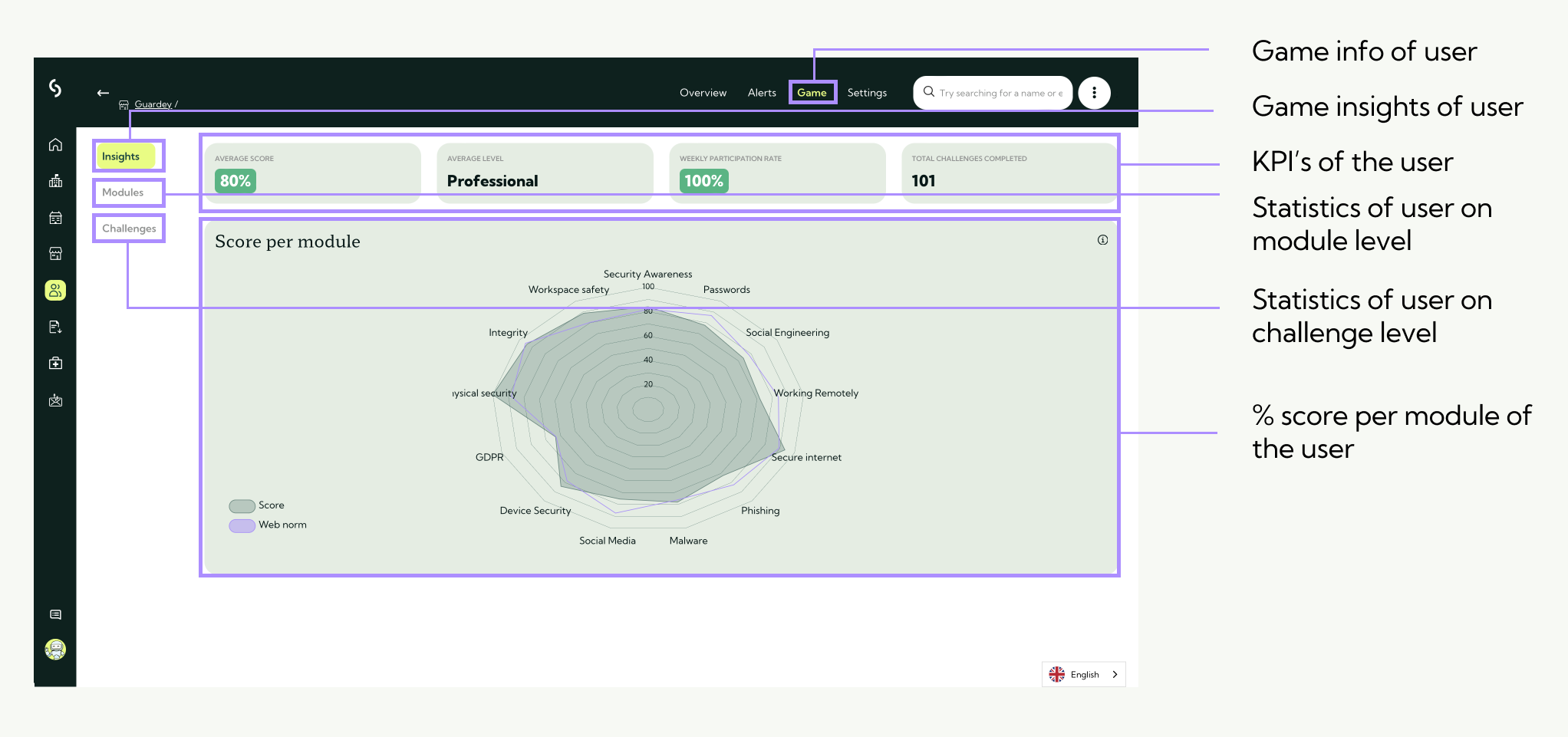
You will now see an overview of the user's progress and scores.
Note: if the user has not yet started a challenge, no data will be visible. The statistics will appear as soon as the user begins.
User gamification insights
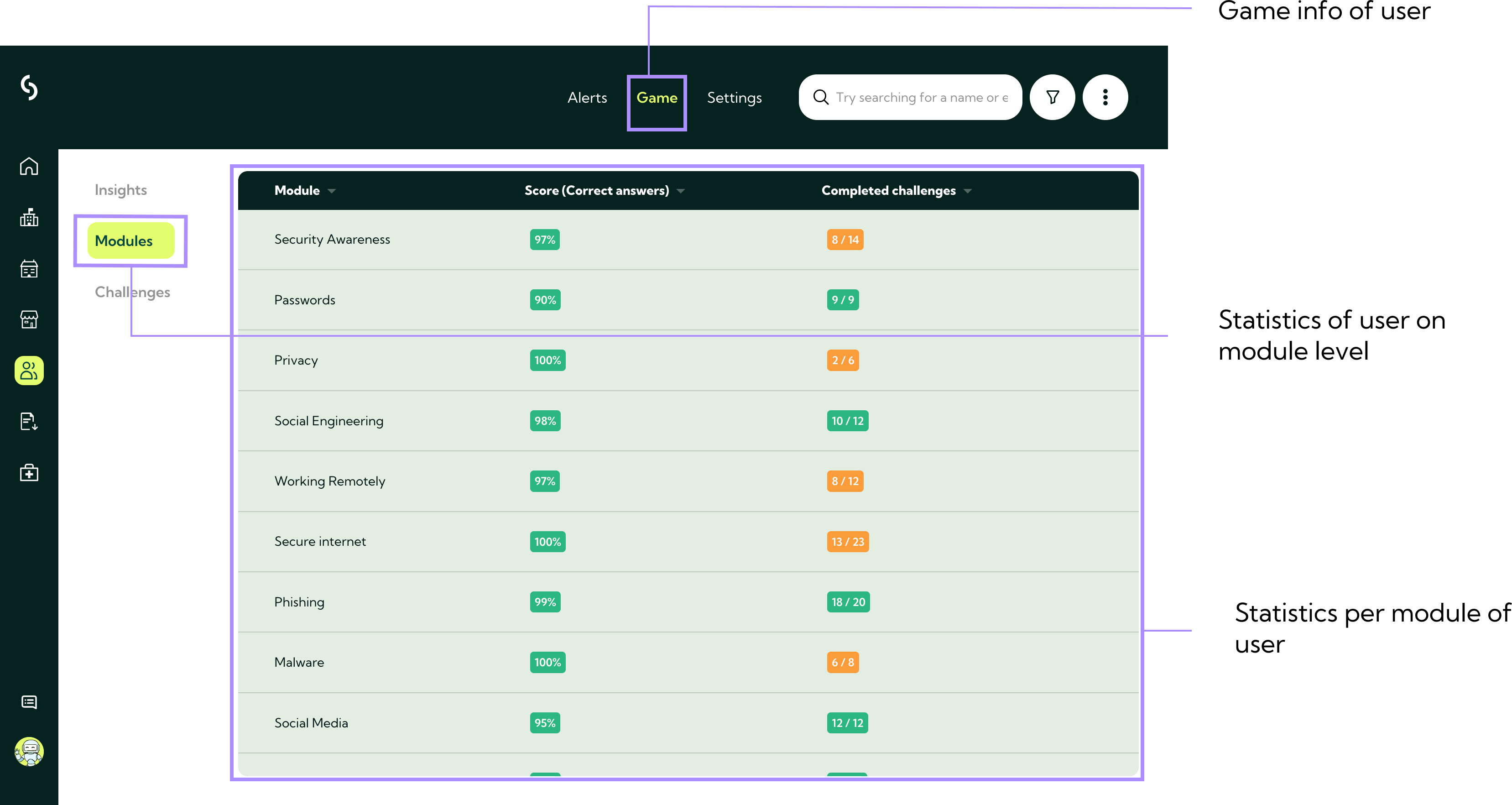
User gamification insights per module
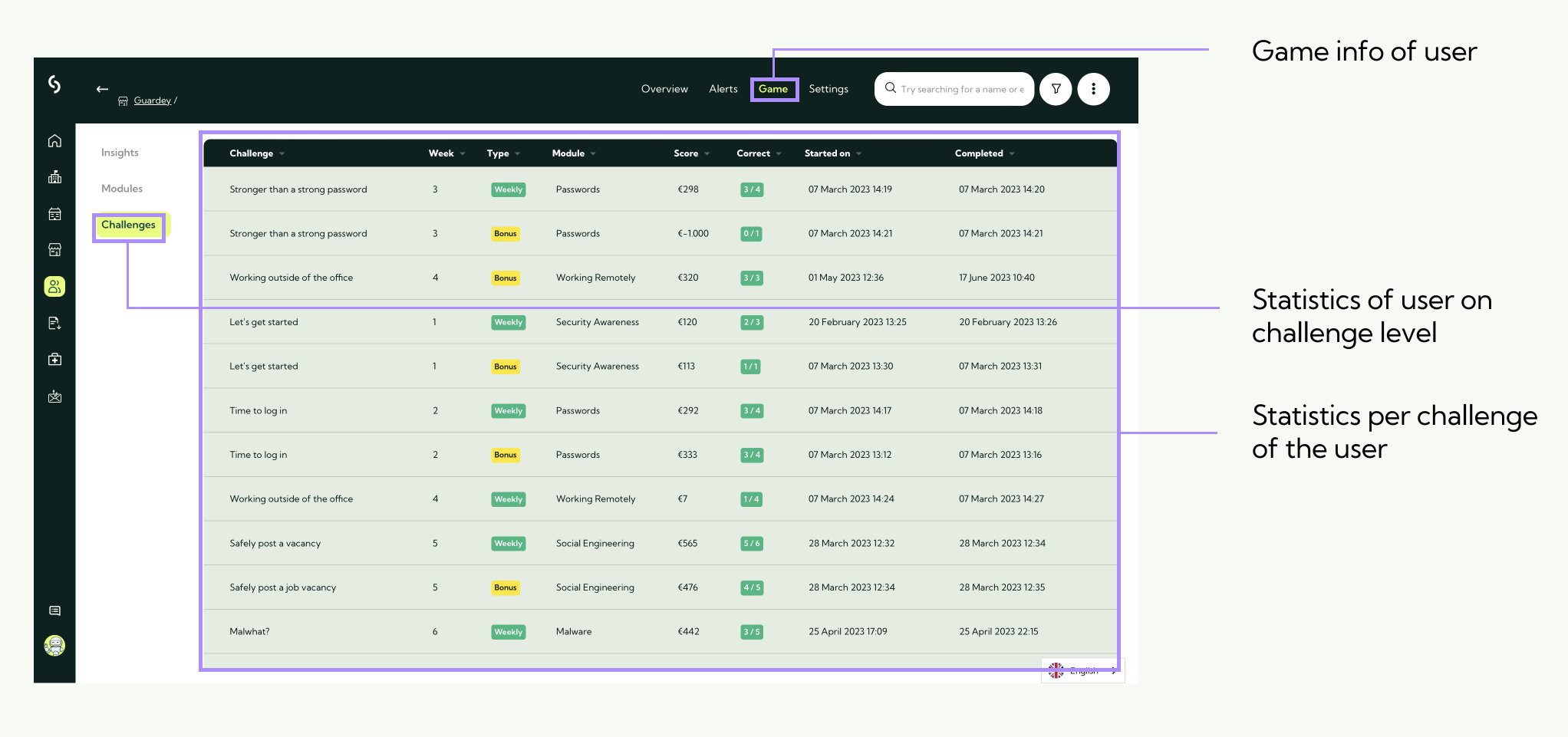
User gamification insights per challenge
Related to