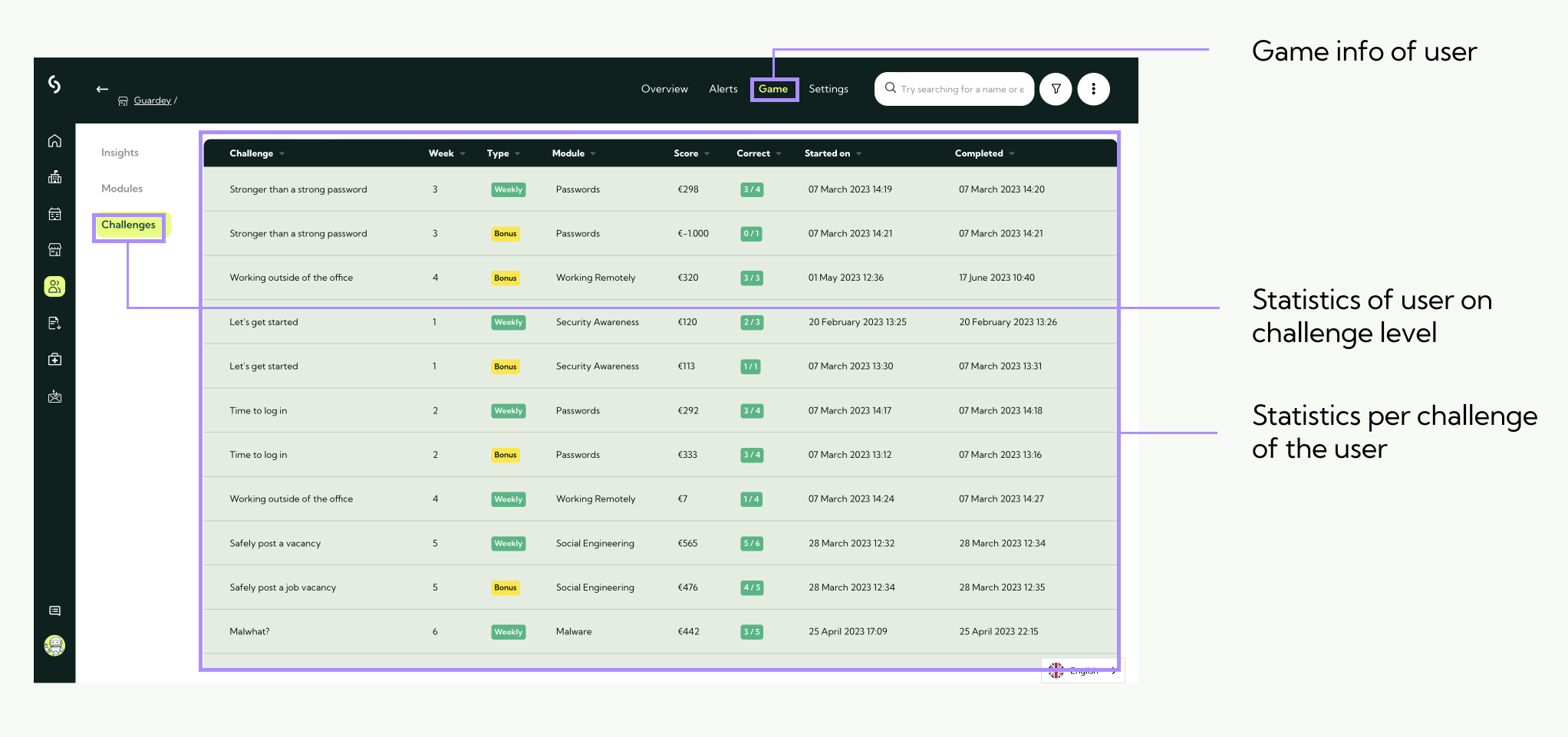
The Learning Management System (LMS) is only accessible to admin users within an organization. You can find the LMS via the admin portal.
We are continuously expanding the LMS. This article will be updated as soon as new features and reporting options become available.
Gamification insights
Within the LMS, you’ll find detailed gamification insights under the game section of the admin portal.
These insights are available at both the organization and individual user level.
Organization - level insight
To view gamification data at the organizational level:
Step 1: Log into the admin portal and select game from the left-hand menu.
Step 2: Start with insights, where you’ll find a high-level overview of the organization's key performance indicators (KPIs).
Step 3: From there, you can explore:
- Module-level stats (based on main challenge categories)
- Challenge-level stats (individual challenge performance)
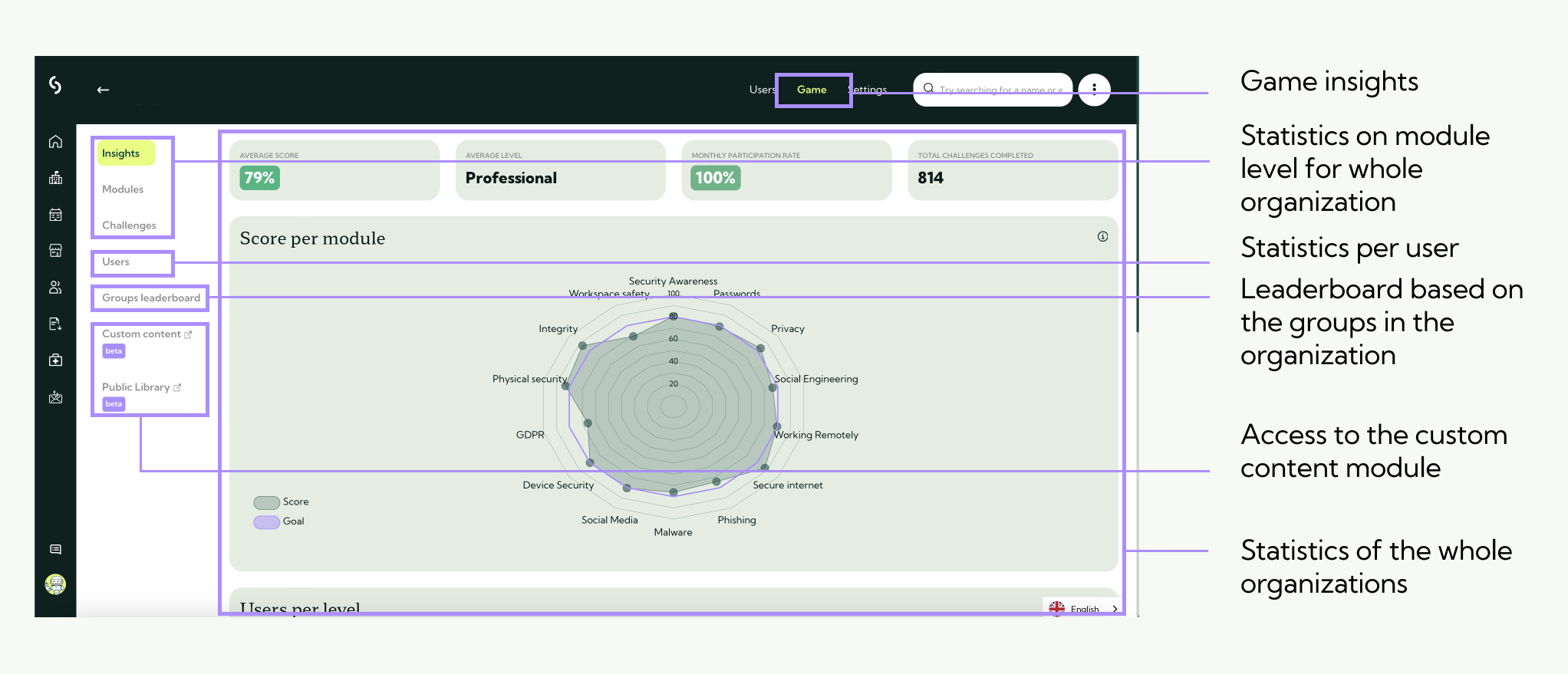
Gamification insights - modules
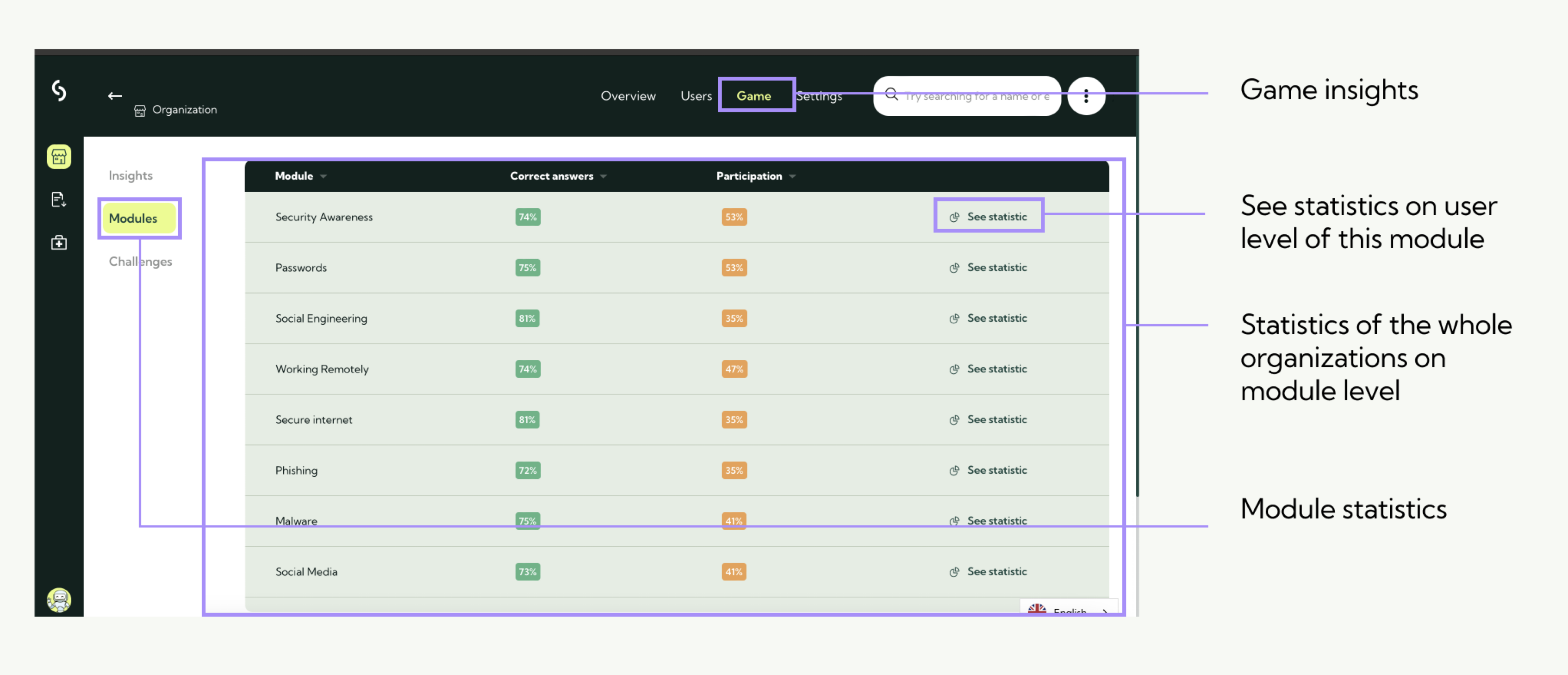
Gamification insights - Challenges
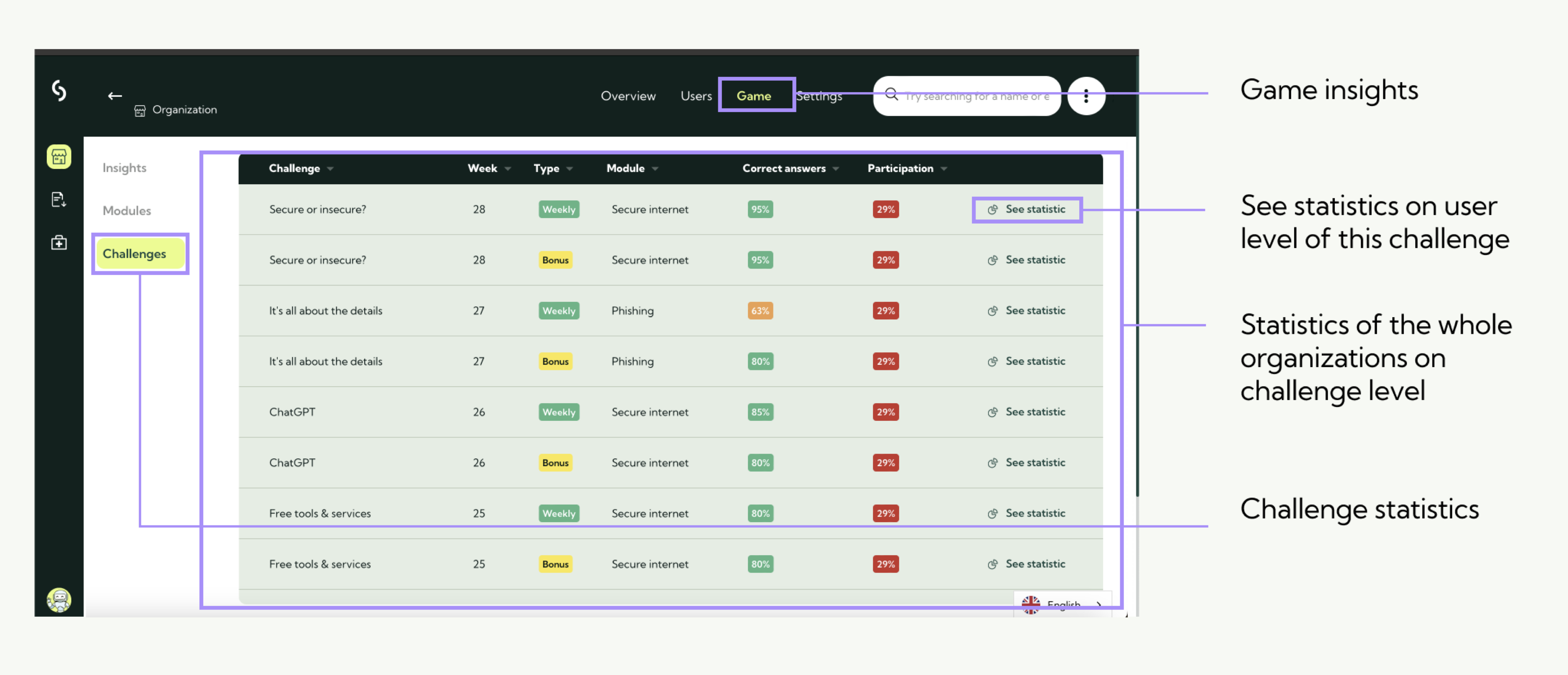
User - level insight
To view insights for a specific user:
Step 1: Go to users in the admin portal.
Step 2: Select the user you wish to view.
Step 3: Click on game in the user’s top menu.
Note: If the user hasn’t started any challenges yet, this section will be empty. Data will appear once the user begins participating.
User gamification insights
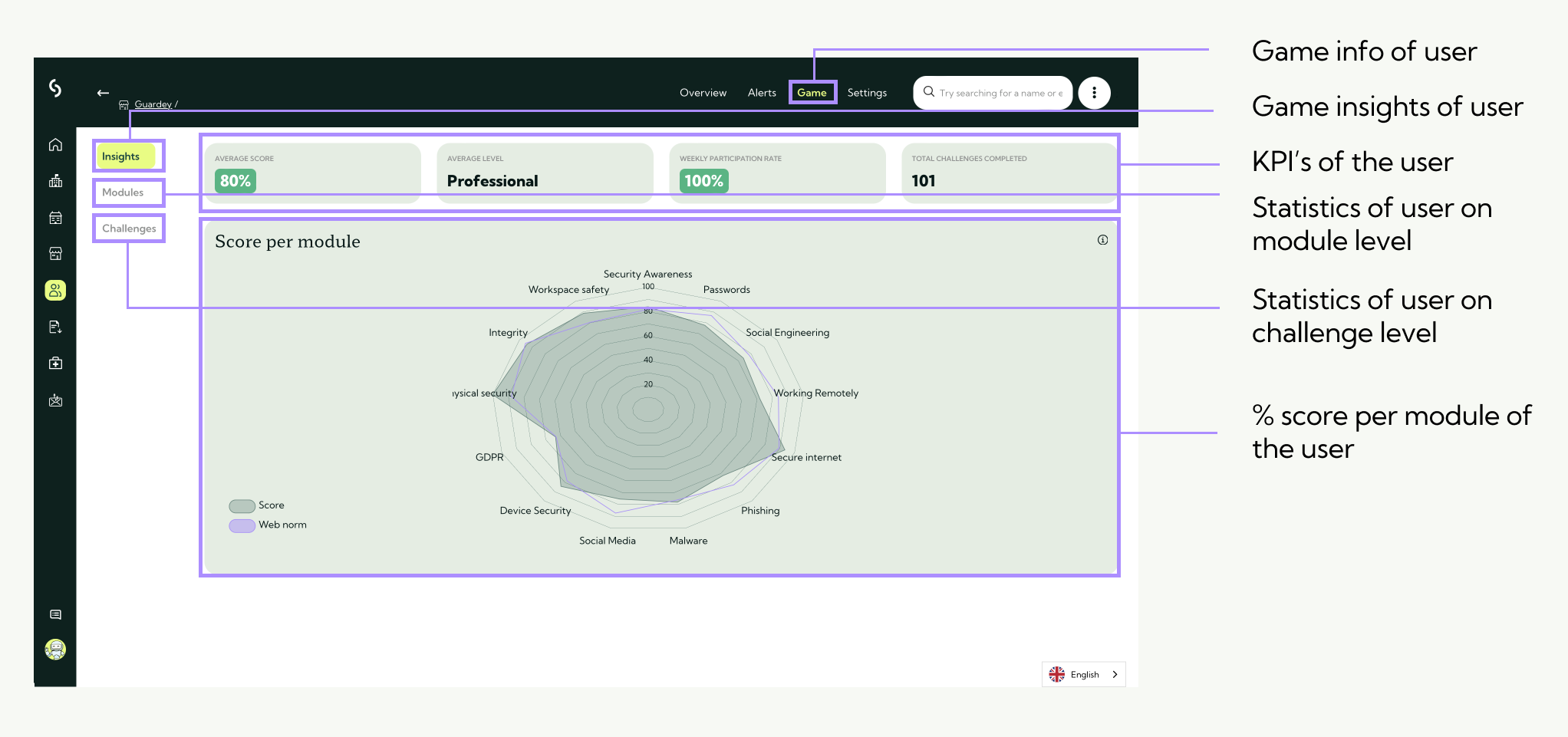
User gamification insights per module
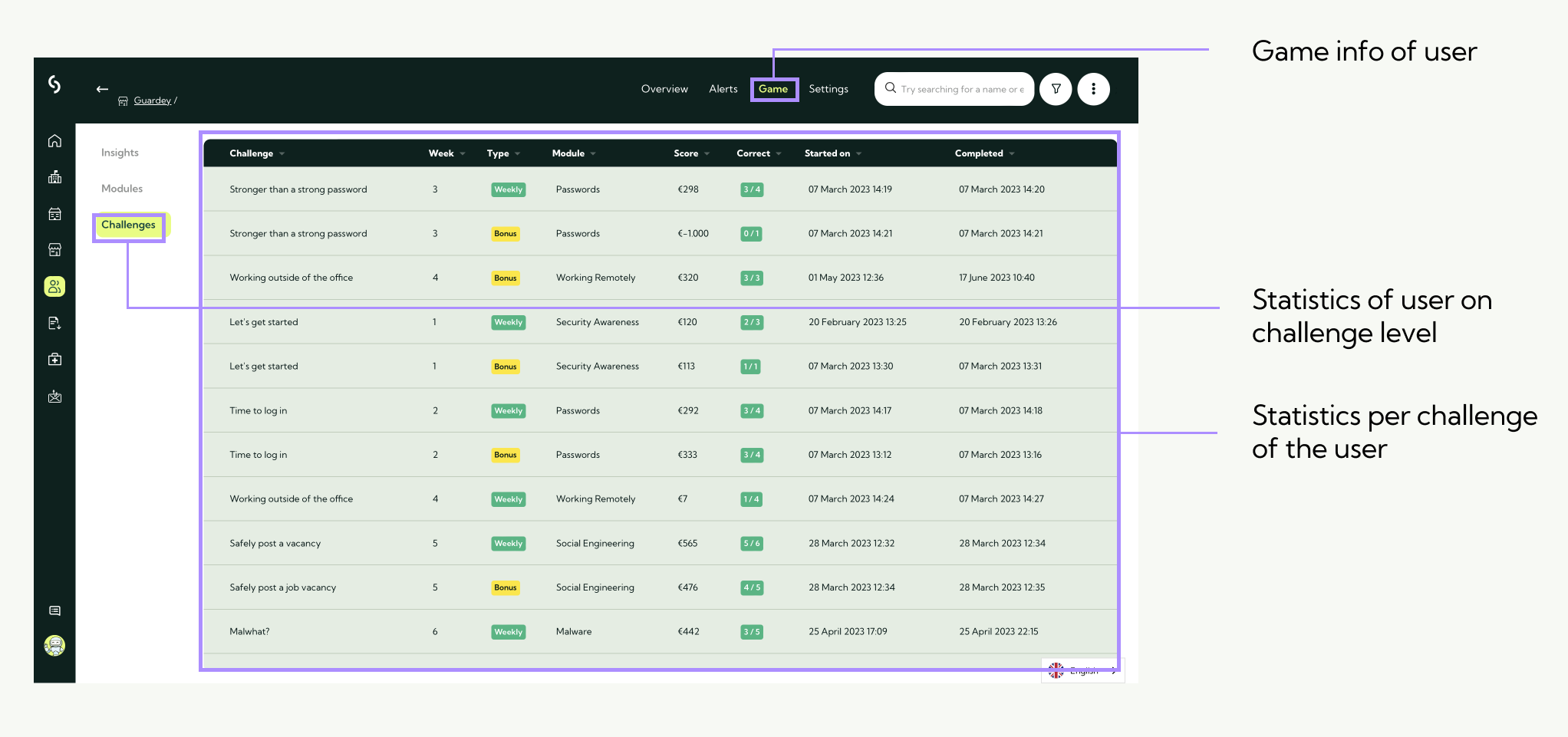
User gamification insights per challenge