How to install Guardey on macOS
Follow these steps to properly install Guardey on your Mac.
Step 1: Download the installation file via the downloads page in the Guardey Portal, or from the location provided by your IT partner.
Step 2: Double-click the downloaded installation file to start the installation process.
Step 3: Follow the on-screen steps, such as choosing an installation location and agreeing to the license terms.
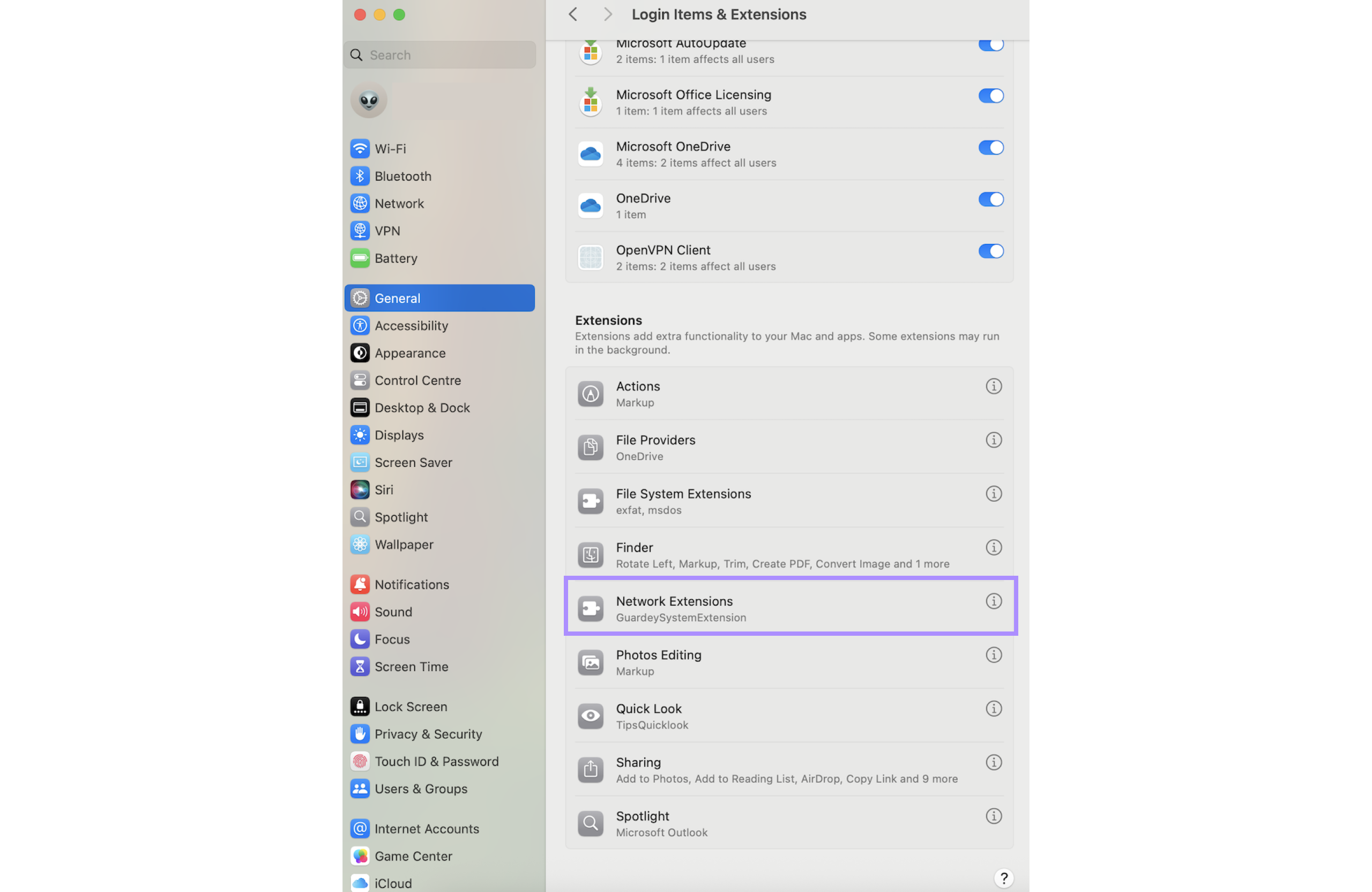
Step 4: After the installation, you can enable the GuardeySystemExtension:
- Open system Settings on your Mac
- Go to general
- Click on login Items and Extensions
- Under the extensions section, find Network Extensions. Click the info icon (i)
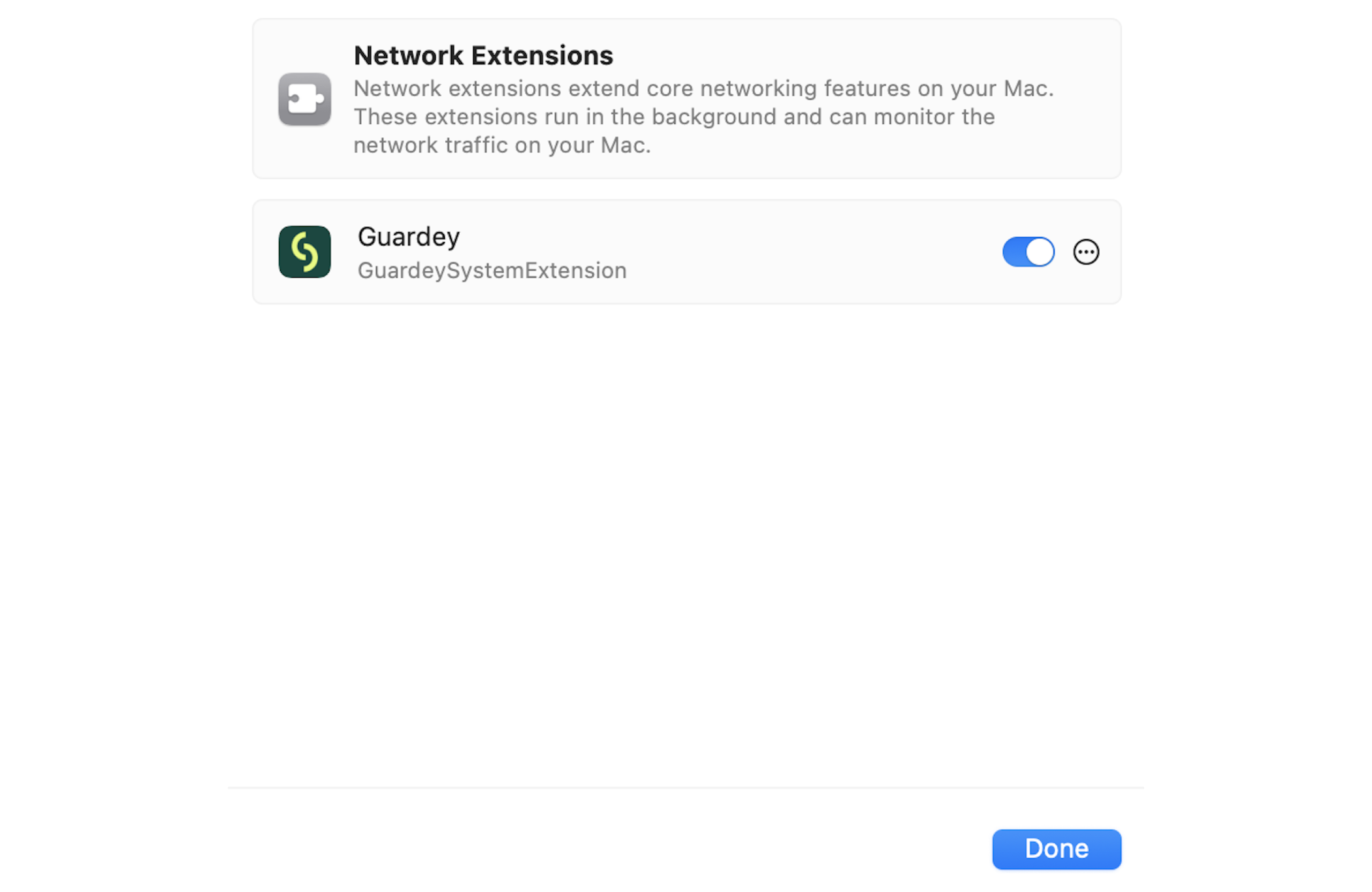
- Turn on the toggle switch
- Click done to finish
Guardey is now successfully installed and active on your Mac.