As an admin, you can easily download reports from the admin portal to track user progress and participation. These reports include all users, even those who have been invited but haven’t started yet.
If a user hasn’t received their invitation, you can resend it by following the instructions in our help center article on resending invitations.
You’ll get a clear overview of:
- Progress made so far
- Current participation
- Completed bonus questions
Download a report on user level
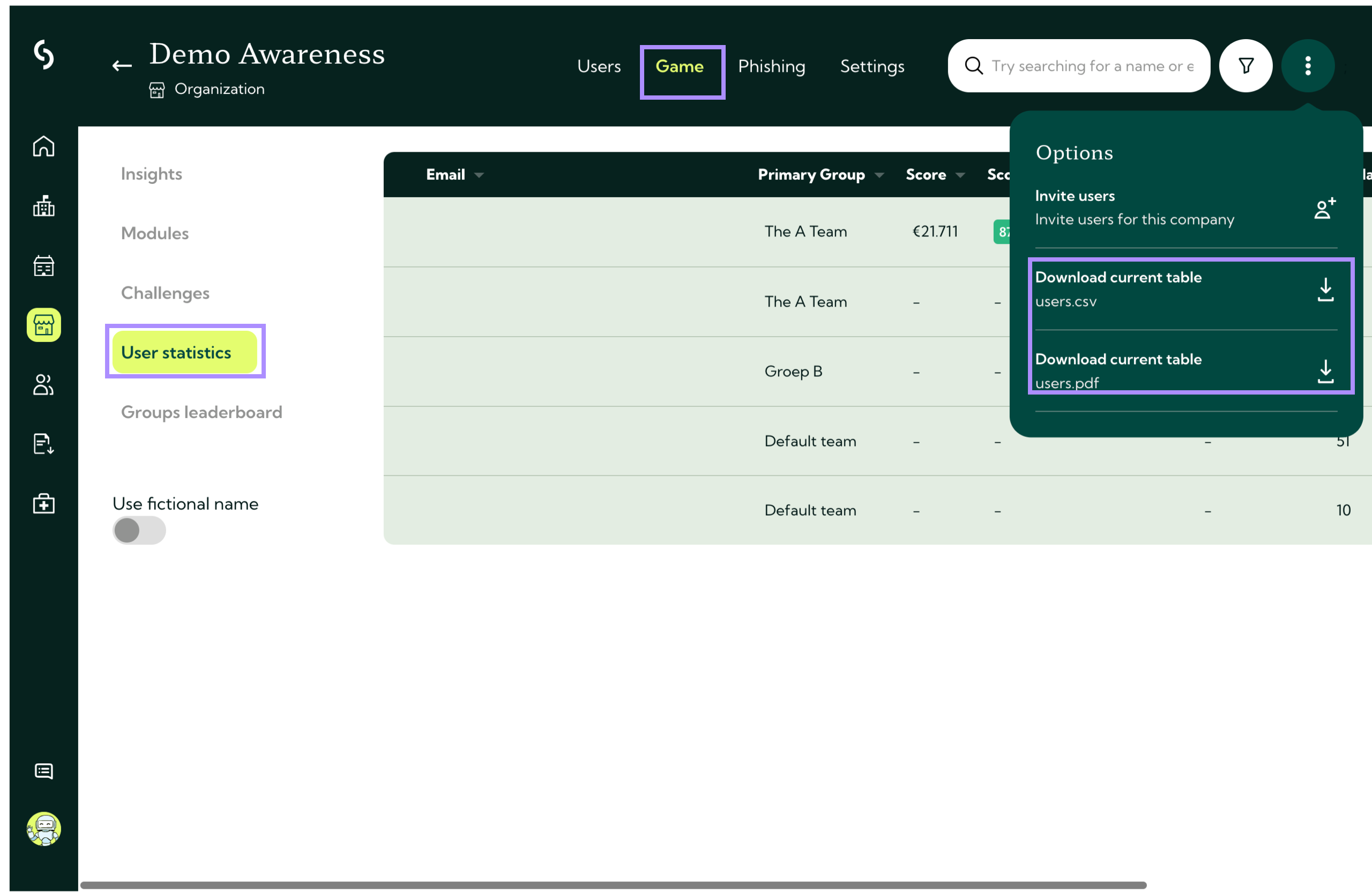
Step 1: Go to the game section in your organization.
Step 2: Click on user statistics
Step 3: In the top-right corner, open the three dots menu.
Step 4: Select download current table and choose either CSV or PDF format.
When viewing user-level statistics, you can apply filters to narrow down the data. This helps you quickly spot trends or identify specific user behaviors.
Available filters:
- Status – active or inactive
- Installed app – whether the user has installed the Guardey app
- Date created – when the user was added
- Last active – last moment of activity on the platform
- Score (correct answers) – performance in challenges
- Participation – whether the user actively joined challenges
Download a report on group level
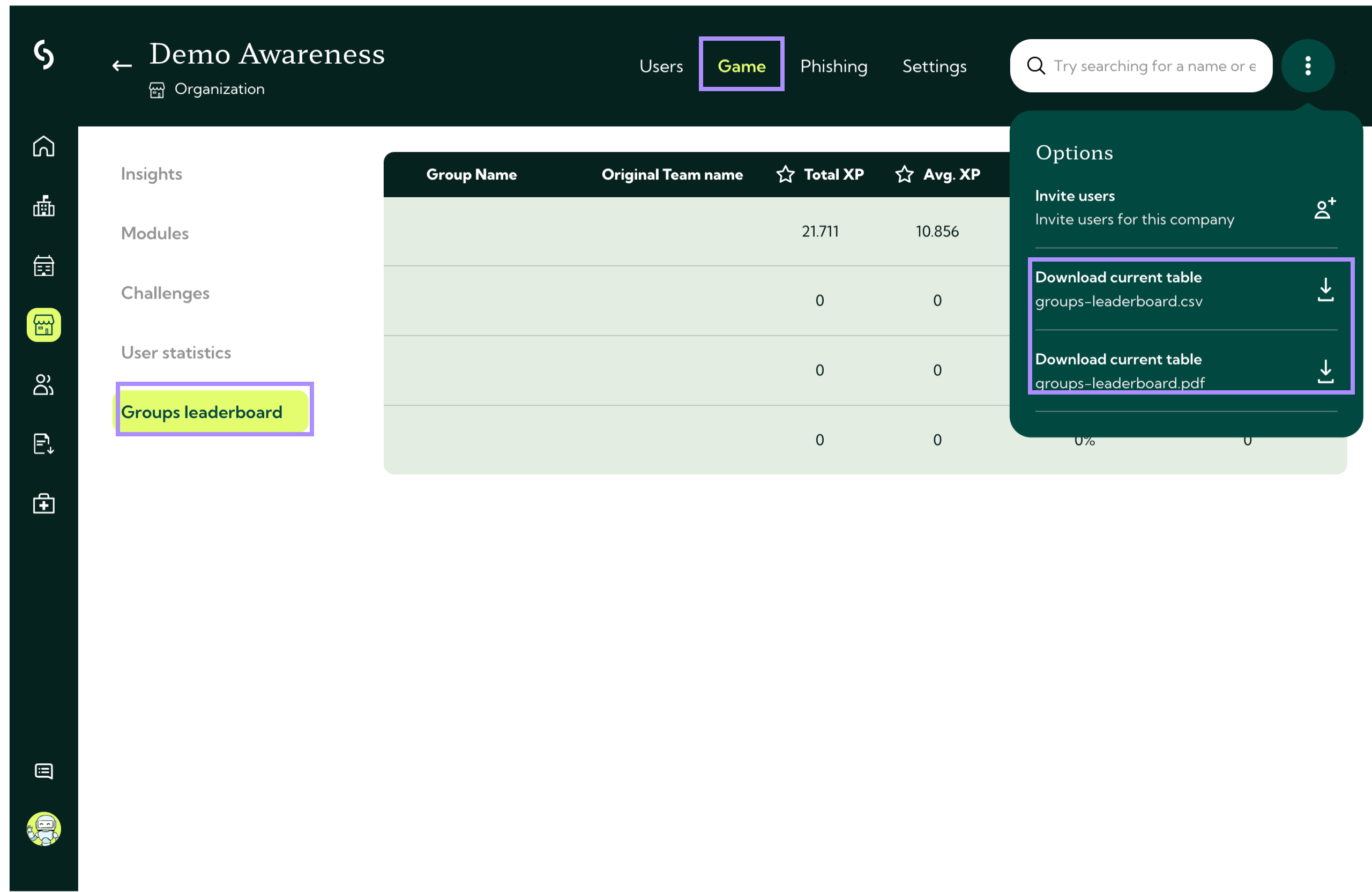
Step 1: Go to the game section in your organization.
Step 2: Click on groups leaderboard.
Step 3: In the top-right corner, open the three dots menu.
Step 4: Select download current table and choose either CSV or PDF format.